After multiple attempts to give this blog a facelift by incorporating any one of the sweet blog templates I found on Pyzam [http://www.pyzam.com/bloggertemplates] -- and losing my avatar and all of my images each time I tried -- I decided that despite my careful following of directions, I was probably doing something extraordinarily wrong. To use one of the Pyzam templates without losing everything but my posts, I would have to copy and paste all of the code back into my blog. It wasn't worth the effort.
So, my new look came from one of the blogger templates (a relative of the one I used for the first 23 things). Prettier, I think; hopefully as clear and easy to read.
Not nearly as fun as a blog with a VanGogh painting as a backdrop, but, you can't have everything. If anyone has successfully used one of these templates, I'd sure like to know how.
My avatar's new as well -- summertime seemed to demand it.
Wednesday, June 10, 2009

Thing 23: Evaluation
Well, well, well...I've finally finished these Things! It's been a valuable experience, albeit an extraordinarily lengthy one -- at least for me. And there are 23 More now ... a never-ending process it would appear.
What I'd really like to see (or even help develop) is a version of 23 things specifically directed at our new to the web and new to 2.0 library patrons -- the kind of tutorial they might be willing to tackle once they complete our basic Internet classes and want to keep on learning.
Is anyone out there working on this?
What I'd really like to see (or even help develop) is a version of 23 things specifically directed at our new to the web and new to 2.0 library patrons -- the kind of tutorial they might be willing to tackle once they complete our basic Internet classes and want to keep on learning.
Is anyone out there working on this?
Tuesday, June 2, 2009
Thing 22: Keeping Current
I added LibraryBytes as an RSS feed to follow, in order to keep up with changes; looking at the pile of my unread items to which I've subscribed, however, I don't know if, for me, following a feed is going to be a particularly effective way of staying current.
Working on the next 23 things will probably be just as effective, if not moreso, and I intend to start doing that as soon as the first set of Things is done. Nearly there...
Working on the next 23 things will probably be just as effective, if not moreso, and I intend to start doing that as soon as the first set of Things is done. Nearly there...
Thing 21: Other Social Networks
Nearly at the end of all of these Things!
Joined the 23 Things on a Stick Ning group, sent a message to one of my colleagues; added a picture to my profile, and uploaded a bunch of photos to my page -- would have been easier if I could have done it directly from Picasa, but "sharing" a photo from a Picasa web album creates a mess with photo titles -- so I simply saved the photos to my computer and added photos from there. Nothing too exciting -- unless you want to look at some of my flower arrangements :)
Tried looking for NING friends from my AOL address book and gave up after the search went on...and on...and on...
Finally found the directions for adding a Ning badge to my blog.
Used Google to locate a florist's social networking site (on Chatter-media) and joined it -- but is sure doesn't look as if there's much activity there; British-based as well -- Think I'll look let that idea go, or look elsewhere.
Many Ning features are very similar to those on Facebook; not sure how many of these social networks I really need (or can possibly keep up with) -- I've even been neglecting my Facebook account for lack of time.
Joined the 23 Things on a Stick Ning group, sent a message to one of my colleagues; added a picture to my profile, and uploaded a bunch of photos to my page -- would have been easier if I could have done it directly from Picasa, but "sharing" a photo from a Picasa web album creates a mess with photo titles -- so I simply saved the photos to my computer and added photos from there. Nothing too exciting -- unless you want to look at some of my flower arrangements :)
Tried looking for NING friends from my AOL address book and gave up after the search went on...and on...and on...
Finally found the directions for adding a Ning badge to my blog.
Used Google to locate a florist's social networking site (on Chatter-media) and joined it -- but is sure doesn't look as if there's much activity there; British-based as well -- Think I'll look let that idea go, or look elsewhere.
Many Ning features are very similar to those on Facebook; not sure how many of these social networks I really need (or can possibly keep up with) -- I've even been neglecting my Facebook account for lack of time.
Tuesday, May 26, 2009
Thing 20: Facebook
I've had a Facebook account for a good while now, and thoroughly enjoy using the network.
When I first signed up, I used the utility that allows you to upload your email address book and match it with other Facebook users. My AOL address book happened to include the contact information for the son of a dear friend of mine. I extended to him the invitation to "befriend" me on Facebook; he accepted -- giving me access to his list of friends...which turned out to include my own son (they've been buddies for years) -- using an email addy I had not know at all! And yes, my son was willing to be my friend...
For the purpose of this exercise, I've joined a couple of new groups -- FacebookAppsforLibraries and Library 2.0 Interest Groups. Lots of interesting reads -- more to keep up with.
Profile is still pretty bare-bones yet...bit by bit.
When I first signed up, I used the utility that allows you to upload your email address book and match it with other Facebook users. My AOL address book happened to include the contact information for the son of a dear friend of mine. I extended to him the invitation to "befriend" me on Facebook; he accepted -- giving me access to his list of friends...which turned out to include my own son (they've been buddies for years) -- using an email addy I had not know at all! And yes, my son was willing to be my friend...
For the purpose of this exercise, I've joined a couple of new groups -- FacebookAppsforLibraries and Library 2.0 Interest Groups. Lots of interesting reads -- more to keep up with.
Profile is still pretty bare-bones yet...bit by bit.
Thursday, May 14, 2009
Thing 19: Podcasts
Using the link to Minnesota Public Radio's podcasts and exploring from there, I found a very pleasant 2-minute gardening podcast, hosted by NPR member station WFIU, featuring master gardener Moya Andrews. Most apropos, since the gardening season is finally upon us.
For some reason, publishing the link as a link in this blog is a challenge -- the "insert link" function does not create a viewable link, so, should you want to listen, here's the URL for the podcast:
http://www.npr.org/rss/podcast.php?id=510179
For some reason, publishing the link as a link in this blog is a challenge -- the "insert link" function does not create a viewable link, so, should you want to listen, here's the URL for the podcast:
http://www.npr.org/rss/podcast.php?id=510179
Sunday, March 22, 2009
Thing 18: YouTube and Other Online Video
I had a lot of fun exploring the video possibilities on YouTube; students are always looking for video resources relevant to their projects--this is one good source that I have learned to use for that purpose. Another good source (for YouTube and other internet video sources) is the video search engine www.blinx.com.
My current favorite YouTube offering (after starting to get series about my own pre-Passover cleaning) lightens up my mood. I think I need young helpers again.
My current favorite YouTube offering (after starting to get series about my own pre-Passover cleaning) lightens up my mood. I think I need young helpers again.
Wednesday, February 25, 2009
Thing 17: ELM Productivity Tools
I've been using ELM for a very long time. Still,ELM offers many tools to explore of which I had been previously unaware.
Unfortunately, at least for me, much of what I explored felt incredibly time-consuming. An example: the idea of creating a webpage that serves as a pathfinder for a subject search is attractive; the pages I created thru ELM (I tried several) were not, and, to add insult to injury, took much too much time to develop.
For me, the most useful feature of ELM remains the article access, with the ability to save into a folder and share that folder a close second.
Unfortunately, at least for me, much of what I explored felt incredibly time-consuming. An example: the idea of creating a webpage that serves as a pathfinder for a subject search is attractive; the pages I created thru ELM (I tried several) were not, and, to add insult to injury, took much too much time to develop.
For me, the most useful feature of ELM remains the article access, with the ability to save into a folder and share that folder a close second.
Tuesday, February 24, 2009
Thing 16: Student 2.0 Tools
I liked these Things so well I shared the links with a local private high school principal who is part of my home community. I'm hoping we will add them as useful education links, and I plan to show them (especially the Research Project Calculator)to interested students during my reference interviews.
Great tools!
Great tools!
Sunday, February 15, 2009
Thing 15: Libraries and Gaming
I'm no stranger to online gaming, although I've been more interested in Scrabble and other word games than role-playing; creating a character and moving through a fantasy world using skills built while playing the game or solving a puzzle are tasks that appeal to me, but...I simply don't have the time I'd need to do a good job of this.
I did create a character on Puzzle Pirates, looked a bit at the instructions available, and abandoned the effort after that.
Libraries that want to appeal to teens by offering this service, or a virtual presence on something like Second Life, are going to need folks with more time and skill than I have now or am likely to develop in the near future.
I did create a character on Puzzle Pirates, looked a bit at the instructions available, and abandoned the effort after that.
Libraries that want to appeal to teens by offering this service, or a virtual presence on something like Second Life, are going to need folks with more time and skill than I have now or am likely to develop in the near future.
Monday, January 26, 2009
Thing 14: Library Thing
I really do like LibraryThing, as a reader's advisory resource (the tag mashups are grand), as a tool to keep track of my own book collection, as well as a possible addition to library OPACs, but I'm having an awful time getting the widget described at http://www.librarything.com/ltsw/ to work properly on this blog. Thanks to the help of a colleague, I can now add a widget by using its HTML; you'll see the one for LibraryThing added at the right -- but this widget certainly is not searching MY library! None of the seven books I've entered show.
Suggestions anyone?
Suggestions anyone?
Thursday, January 22, 2009
Thing 13: Productivity Tools
Okay -- I've got a customized IGoogle page, complete with a passle of weatherinfo widgets (brrrrr it's been cold lately ), a spring theme (just love those cherry blossoms); Color Junction, an addictive game that I hardly ever win and would much rather play than blog; a calendaring tool thru Google, which I can share with online friends and family -- very useful right now since, outside of my workplace, I'm temporarily without online access; a link to Google's top news stories, and assorted other stuff that I'm trying out. There appear to be many widgets that simply don't work; others whose inherent slowness completely outweighs their potential usefulness; and still others filled with ads I don't ever want to see.
Adding "Remember the Milk" and its Google calendaring functionality as well as the Blogger widget to my Igoogle page were probably the most productive things I did in this Thing's activities. I've learned to add lists and locations to Milk. It's all paperless and easily accessible - I'm sold.
On my list to explore further: http://zamzar.com/ -- free online file conversion without the need to download software. Just added it to Milk!
Adding "Remember the Milk" and its Google calendaring functionality as well as the Blogger widget to my Igoogle page were probably the most productive things I did in this Thing's activities. I've learned to add lists and locations to Milk. It's all paperless and easily accessible - I'm sold.
On my list to explore further: http://zamzar.com/ -- free online file conversion without the need to download software. Just added it to Milk!
Tuesday, January 20, 2009
Thing 12: Do You Digg?
I definitely don't Digg! I looked at several of these social media sites, got terribly frustrated with the shallowness of the comments I viewed, and very much put off by the rant. Just an old fuddy-duddy, I guess. I did actually set up an account on Newsvine, "seeded" an article, voted on two others. I can see this type of site might be useful to stay in the know about popular topics, but other than that, I think I'll pass. Too time-consuming for the value added.
Sunday, January 11, 2009
Thing 11: Tagging and Social Bookmarking
Uncontrolled vocabulary -- whee! I did a little tagging on Flickr, and a bit more on this blog, and I see where tagging alone offers promise as a finding tool, but the real benefit seems to lie in the group effort. It hasn't taken me very long, but I'm hooked on del.icio.us -- and the tantalizing prospect of collective intelligence.
Note: the del.icio.us bookmark button does required downloading an executable file. If that doesn't work at your location, there are a bunch of widgets available for igoogle. They may not be as slick as the site's button, but there are a variety to choose from, and they don't require the download. Simply go to igoogle, click on Add Stuff and in the Search for Gadgets dialog box type del.icio.us ... Explore results, and choose.
Note: the del.icio.us bookmark button does required downloading an executable file. If that doesn't work at your location, there are a bunch of widgets available for igoogle. They may not be as slick as the site's button, but there are a variety to choose from, and they don't require the download. Simply go to igoogle, click on Add Stuff and in the Search for Gadgets dialog box type del.icio.us ... Explore results, and choose.
Thursday, January 8, 2009
Thing 10: Learn About Wikis
RCL has had an experimental reference wiki up and running on PBWiki since the Fall of 2006. I didn't get involved with it until sometime in 2007, when a team of which I was a member needed to develop a survey of staff technical competencies. What followed as I tried to learn the ins and outs of PBwiki design (without benefit of HTML) was months of frustrated grumbling as I found it repeatedly necessary to pull my MS-Word formatted table out of the wiki, do the corrections and reformatting on Word, and repost to the wiki. What I saw was all too frequently not what I got, and more than one of my colleagues were reluctant to post to the wiki because of the formatting difficulties.
Even though staff at PBWiki tried to be helpful, I feel that the inherent difficulties in this particular mechanism worked against the promise of collaboration.
Given my familiarity with this Thing, I didn't spend a whole lot of time playing with it again. I did,however, look briefly at the Zoho wiki editor. I had a much easier time editing a Zoho page -- and what I saw after I had saved my work really did look like what I thought I had saved. Impressive! I will definitely come back for another look.
Even though staff at PBWiki tried to be helpful, I feel that the inherent difficulties in this particular mechanism worked against the promise of collaboration.
Given my familiarity with this Thing, I didn't spend a whole lot of time playing with it again. I did,however, look briefly at the Zoho wiki editor. I had a much easier time editing a Zoho page -- and what I saw after I had saved my work really did look like what I thought I had saved. Impressive! I will definitely come back for another look.
Wednesday, December 31, 2008
Thing 9: Online Collaboration Tools
Wow -- I've really enjoyed looking at these applications! Finally I've got something to recommend to our patrons who need a good word processor -- not just barebones online typing (like Writer, from bighugelabs.com) -- and find that all of our "full-service Internet" stations -- the ones with Microsoft Office Suite installed -- are being used.
What a great opportunity for kids working in teams on school projects!
Would that I have had such a tool 28 months ago -- when putting together the invitations list for my son's wedding. That and online chat would have saved hours messaging back and forth to my inlaws!
Individual use aside, one work application jumps out at me. Every three months or so, we start taking patron registration for the next round of computer classes we offer. We announce the start date for registration, and patrons call, or come in, to register. We handle registration centrally -- at our Roseville location -- and use a longhand notebook to record registrant's names and phone #s. Our portable computer lab has 12 laptops, so registration is limited, and fills up fast. Calls and in-person registrants come in fast and furiously during the initial hours of registration, and passing the paper record book back and forth among librarians is, to put it mildly, a hassle. What we need is a document that multiple librarians can add names into at the same time -- and view edits in real time. To the rescue GoogleDocs (rather than Zoho Writer, which appears to have more editing versatility) just because it appears to be easier to keep as an internal, non-public document.
I'm going to try this out with a fellow reffie next week -- and blog here about the results.
What a great opportunity for kids working in teams on school projects!
Would that I have had such a tool 28 months ago -- when putting together the invitations list for my son's wedding. That and online chat would have saved hours messaging back and forth to my inlaws!
Individual use aside, one work application jumps out at me. Every three months or so, we start taking patron registration for the next round of computer classes we offer. We announce the start date for registration, and patrons call, or come in, to register. We handle registration centrally -- at our Roseville location -- and use a longhand notebook to record registrant's names and phone #s. Our portable computer lab has 12 laptops, so registration is limited, and fills up fast. Calls and in-person registrants come in fast and furiously during the initial hours of registration, and passing the paper record book back and forth among librarians is, to put it mildly, a hassle. What we need is a document that multiple librarians can add names into at the same time -- and view edits in real time. To the rescue GoogleDocs (rather than Zoho Writer, which appears to have more editing versatility) just because it appears to be easier to keep as an internal, non-public document.
I'm going to try this out with a fellow reffie next week -- and blog here about the results.
Monday, December 22, 2008
Thing 8
Share Your Creations: Photo presentations, Powerpoint-type slideshows, Databases, and Portfolios
Having already spent so much time getting a Flickr slide show to work properly (see Thing 6), I decided I'd look at some of the other sharing options available. I was not at all impressed with Lazybase. I did not find it intuitive, and the lack of instructions, hints, FAQs, or suggestions for use other than the few examples you are supposed to look at for an immediate understanding of the process made me abandon this tool quite early. The idea of cooperatively adding to and editing a database is particularly attractive, though, and I may go back and take another look.
It looks like another productivity and collaboration tools provider, Zoho (http://zoho.com/index.html) also has a database tool (Zoho Creator) which would be worth exploring. I'm impressed with the same site's online presentation tool, Zoho Show, and the possibilities that offers for publishing brief tutorials for staff or patron use. Time doesn't allow me to develop a whole tutorial, but here are the first few slides of one that I wouldn't mind spending time working on:
I don't seem to have quite the hang of all of the editing features, but I've managed to fix the HTML code! to adjust the margins of the show as it displays within the blog. Now if I could figure out why it doesn't seem to automatically republish in my blog when I make changes in the ZOHO SHOW original...
Efolio Minnesota (http://www.efoliominnesota.com/) was an eye-opener. What a wonderful way for Minnesota students and jobseekers to showcase their accomplishments. Or library staff members to introduce themselves, their backgrounds, projects, specialities, and reading interests, to patrons. I'd like to see a link to this site from the Careers area of our website!
Having already spent so much time getting a Flickr slide show to work properly (see Thing 6), I decided I'd look at some of the other sharing options available. I was not at all impressed with Lazybase. I did not find it intuitive, and the lack of instructions, hints, FAQs, or suggestions for use other than the few examples you are supposed to look at for an immediate understanding of the process made me abandon this tool quite early. The idea of cooperatively adding to and editing a database is particularly attractive, though, and I may go back and take another look.
It looks like another productivity and collaboration tools provider, Zoho (http://zoho.com/index.html) also has a database tool (Zoho Creator) which would be worth exploring. I'm impressed with the same site's online presentation tool, Zoho Show, and the possibilities that offers for publishing brief tutorials for staff or patron use. Time doesn't allow me to develop a whole tutorial, but here are the first few slides of one that I wouldn't mind spending time working on:
I don't seem to have quite the hang of all of the editing features, but I've managed to fix the HTML code! to adjust the margins of the show as it displays within the blog. Now if I could figure out why it doesn't seem to automatically republish in my blog when I make changes in the ZOHO SHOW original...
Efolio Minnesota (http://www.efoliominnesota.com/) was an eye-opener. What a wonderful way for Minnesota students and jobseekers to showcase their accomplishments. Or library staff members to introduce themselves, their backgrounds, projects, specialities, and reading interests, to patrons. I'd like to see a link to this site from the Careers area of our website!
Wednesday, November 26, 2008
Thing 7: Communication Tools
Email, IM, Text, Google Groups, Web Conferencing
A lot of ground to cover in one Thing, but most of it familiar.
Email: We've been using email internally and for reference ("Ask A Librarian) at Ramsey County Library for a very long time.
The best "productivity tools" I've run into are email groups (allowing for quick addressing to multiple people), and canned messages (for those responses to commonly asked questions that make you feel like a recording each time you have to pen them...How do I get a pin number? Do you have a notary public? I need a St. Paul obituary from ___ (insert any year prior to 1972). Do you take donations? I returned my book to the ____ (insert any MELSA library outside of Ramsey County) three days ago but you still show it checked out to me...)
The hardest thing for me to master is refraining from editing (and re-editing) my text.
A lot of ground to cover in one Thing, but most of it familiar.
Email: We've been using email internally and for reference ("Ask A Librarian) at Ramsey County Library for a very long time.
The best "productivity tools" I've run into are email groups (allowing for quick addressing to multiple people), and canned messages (for those responses to commonly asked questions that make you feel like a recording each time you have to pen them...How do I get a pin number? Do you have a notary public? I need a St. Paul obituary from ___ (insert any year prior to 1972). Do you take donations? I returned my book to the ____ (insert any MELSA library outside of Ramsey County) three days ago but you still show it checked out to me...)
The hardest thing for me to master is refraining from editing (and re-editing) my text.
Instant Messaging: IM is newer here -- but already an old friend (at least for me). So nice to get business accomplished quickly, privately, and SILENTLY -- no overhead paging; fewer noisy ringing phones! Potentially impressive when used for customer service -- at least with older than teen patrons. I'd love to try my hand at chat reference via some IM platform available to our patrons.
SMS: Text on the other hand, is less useful for me. I'm not a phone keypad wiz, having missed the opportunity to practice stealthily, cell phone in pocket, during class. I lack educated thumbs and the visual acuity needed to read messages on my cell phone without my glasses. Bah! Fairly recently, one of my children removed my cell phone from my hands with the comment, "You're still sending that? Here, let me finish it for you." Well, once upon a time, I had a similar experience with another child and a mouse. I did learn to use the mouse. Problem is, I really have no desire to text.Groups: I'm not really a fan of Google Groups either. Okay -- I do see their potential, but unless there's a lot of moderator attention, which probably takes more time than many of us have to devote to it, I'm not sure it's worth the effort. There's far more spam and other "unrelated content" unpleasantness posted to the 23 Things group (nothing worth reading since mid-summer!) than anything else. Got so fed up wading through the trash that I dropped my membership in the group. Writing this, however, I decided that was probably a mistake, and reported the abuse to Google, and to the group owner as well. I'm waiting to see what happens next.
Web Conferencing: Proquest offered a webinar on Ancestry Library Edition at the end of September. It was of particular interest to me as we were scheduled to begin offering an ALE class for patrons at the end of October; I wanted to see what the database vendor had to say about their product. I registered for the class, did all the appropriate login stuff, and discovered that even major database providers are occasionally plagued by technical difficulties.
The class didn't happen. Instead, I got a message back from Proquest staff member Aimee Leverette that read, in part, "Due to serious technical problems with our web-based presentation software, I am unable to host today’s session. Please accept my sincere apologies for any inconvenience and consider attending a future session. I would also be happy to schedule a one-on-one session to make up for this last minute cancellation."
Needless to say, the "one-on-one" was great, and probably answered my questions about teaching the class better than the scheduled session might have, but I do like the webinar format, and I'm still interested attending a future presentation.
Wednesday, July 9, 2008
Thing 6
After a trip to New York City over an extended Fourth-of-July weekend, I've been getting back into work mode with Thing 6, and experimenting with some of the image editing that's available "out there".
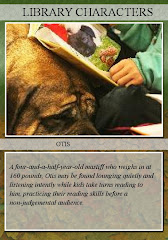
I tried the trading card generator on Big Huge Labs, thinking that it might be a fun way for a library to introduce staff members to patrons, but I wasn't all that happy with my product's readability, and I couldn't figure out a way to make the font size larger.
I played with some of the other widgets on Big Huge Labs, creating a postage stamp (yup, that is the living room of my newly-remodeled home -- finally on the market) and trying out their Writer--an Internet typewriter. There doesn't seem to be much in the way of formatting offered, but if no word processor were available, it does offer some bare-bones functionality, and allows you to store and e-mail the documents you create with it.
I also tested a couple of the options on ImageChef. There are so many options available -- no excuses for a lifeless blog. Wonderful While It Lasted is one; Kid Stuff images are others. My repeated problem is layout; I've discovered how to paste code into an element, but not how to tweak the code to make the layout look the way I'd like it to look. Images are too big or too small or would look better if they were laid out differently; margins are off.
On the bright side, when I couldn't find a bumper sticker mix that allowed me to use my own image and text, I found a commercial site that offered design features, copied the image I created into Paint, played with the background, saved the whole thing to my computer, and uploaded the picture into Blogger. I would really rather be gardening, but this is the next best thing.
I tried the trading card generator on Big Huge Labs, thinking that it might be a fun way for a library to introduce staff members to patrons, but I wasn't all that happy with my product's readability, and I couldn't figure out a way to make the font size larger.
I played with some of the other widgets on Big Huge Labs, creating a postage stamp (yup, that is the living room of my newly-remodeled home -- finally on the market) and trying out their Writer--an Internet typewriter. There doesn't seem to be much in the way of formatting offered, but if no word processor were available, it does offer some bare-bones functionality, and allows you to store and e-mail the documents you create with it.
I also tested a couple of the options on ImageChef. There are so many options available -- no excuses for a lifeless blog. Wonderful While It Lasted is one; Kid Stuff images are others. My repeated problem is layout; I've discovered how to paste code into an element, but not how to tweak the code to make the layout look the way I'd like it to look. Images are too big or too small or would look better if they were laid out differently; margins are off.
On the bright side, when I couldn't find a bumper sticker mix that allowed me to use my own image and text, I found a commercial site that offered design features, copied the image I created into Paint, played with the background, saved the whole thing to my computer, and uploaded the picture into Blogger. I would really rather be gardening, but this is the next best thing.
Wednesday, June 25, 2008
Thing 5
It wasn't hard at all to create a sorta/kinda mashup on Flickr. Just for the fun of it, using images on the public catalog, I uploaded cover art for ten travel books in the library collection into my Flickr photostream. I then plunked those images onto Flickr's world map as appropriately as I could. The next step was to bring my map here.
Three cheers for widgetbox again (and of course for Google, which brought me to widgetbox, using "import flickr photos into a map on blogger" as a search. )The widget I used was
http://www.widgetbox.com/widget/mapsack-flickr-map [and additionally, when I forgot my Flickr ID and how to find it: http://idgettr.com/. ] This tool asks you to enter the address of your photostream or group pool and it'll find the number for you.
Once I'd gotten the new map settled nicely at the bottom of my blog (see below), I discovered that, much to my dismay, with the new images in my photostream, my Thing 4 Keji slideshow sported travel book cover art instead of stunning Canadian park images.
I went in search of a new widget for the slide show, and found one; I'm not entirely happy with it -- it insists on "branding" and if I ask for medium size images instead of thumbnails, it cuts off my images at the right margin. At least at this point, I don't know how to change the format to make the right hand column wider -- I can change the column widths in the template (thanks to help from my HTML-savvy colleague, Carol Jackson), but doing that adversely affects the nice rounded corners of the template.
It seems like a lot of my difficulty might be solved if I knew how to write HTML; alas that is not one of my pitifully few languages. So, I compromised and went back to thumbnails; at least the images are not cropped at the right, the widget correctly selects all the images I want and none of the others, and the photo credits are properly displayed.
Three cheers for widgetbox again (and of course for Google, which brought me to widgetbox, using "import flickr photos into a map on blogger" as a search. )The widget I used was
http://www.widgetbox.com/widget/mapsack-flickr-map [and additionally, when I forgot my Flickr ID and how to find it: http://idgettr.com/. ] This tool asks you to enter the address of your photostream or group pool and it'll find the number for you.
Once I'd gotten the new map settled nicely at the bottom of my blog (see below), I discovered that, much to my dismay, with the new images in my photostream, my Thing 4 Keji slideshow sported travel book cover art instead of stunning Canadian park images.
I went in search of a new widget for the slide show, and found one; I'm not entirely happy with it -- it insists on "branding" and if I ask for medium size images instead of thumbnails, it cuts off my images at the right margin. At least at this point, I don't know how to change the format to make the right hand column wider -- I can change the column widths in the template (thanks to help from my HTML-savvy colleague, Carol Jackson), but doing that adversely affects the nice rounded corners of the template.
It seems like a lot of my difficulty might be solved if I knew how to write HTML; alas that is not one of my pitifully few languages. So, I compromised and went back to thumbnails; at least the images are not cropped at the right, the widget correctly selects all the images I want and none of the others, and the photo credits are properly displayed.
Subscribe to:
Posts (Atom)
+detail.jpg)